How to use theCollege Football Mobile Web Store
1. Download the app
Download and install College Football Mobile from the app store onto your device.

2. Log in to your game
Launch the College Football Mobile app and log in to the account you'd like to use. The account you pick will get the items you buy in the Web Store.

3. Go to settings
Make sure you're logged in to the right account by checking the username at the top of the screen.
From the main menu, tap the settings icon at the top right and navigate to the EA Account option.
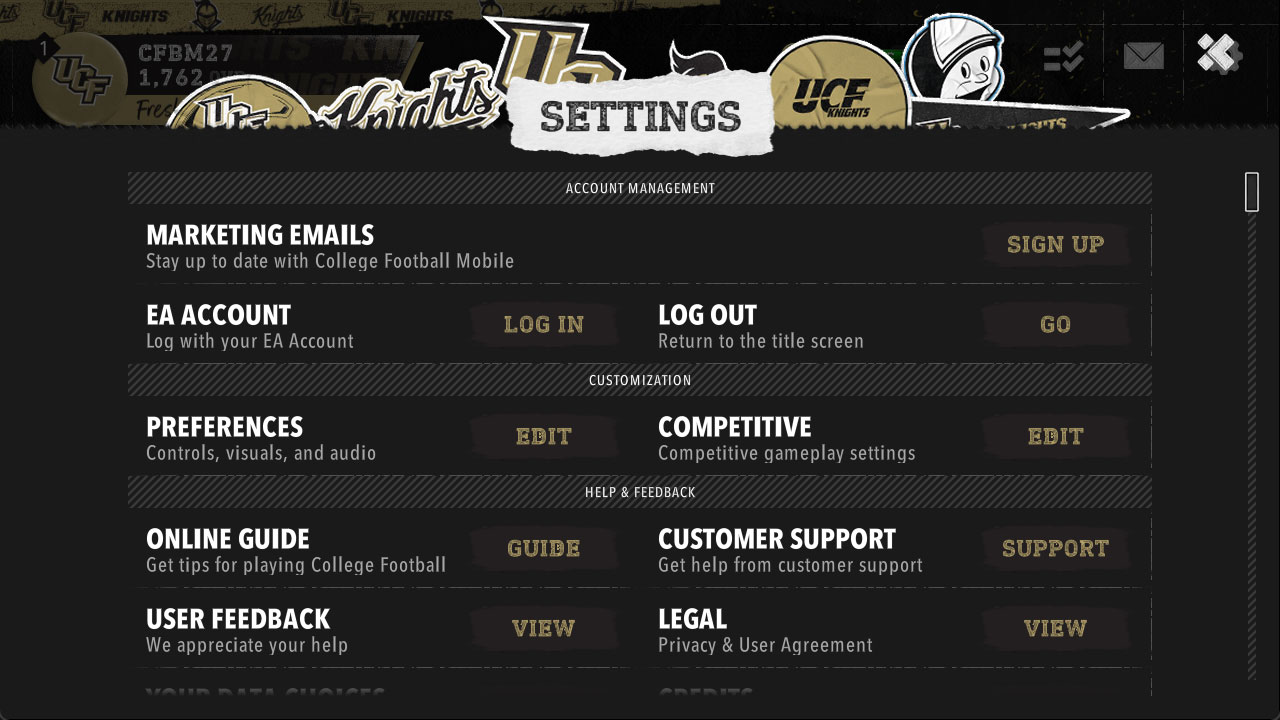
4. Link your EA Account
Tap the Log In button next to the EA Account option and follow the instructions to verify your account. You'll need to verify your account with a code that we'll send to your email address.
Once your account is verified, go back to the Web Store and log in with your EA Account email address.
Go to Web Store